Blog 

Oct 23, 2020 - 1 MIN READ
Upgrading FreeNAS 11.3 to TrueNAS 12 Release
This will go over on how to upgrade FreeNAS 11.3 to TrueNAS 12
Kevin Stevenson
How to upgrade FreeNAS 11.3 to TrueNAS core 12
- Log into your FreeNAS and go to System > Update
- Click on the Train - FreeNAS 11.3 drop down menu
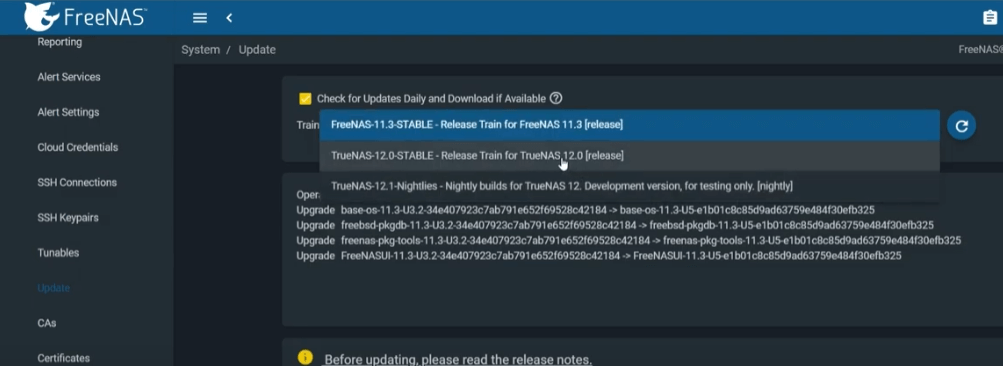
Select the TrueNAS 12 stable release
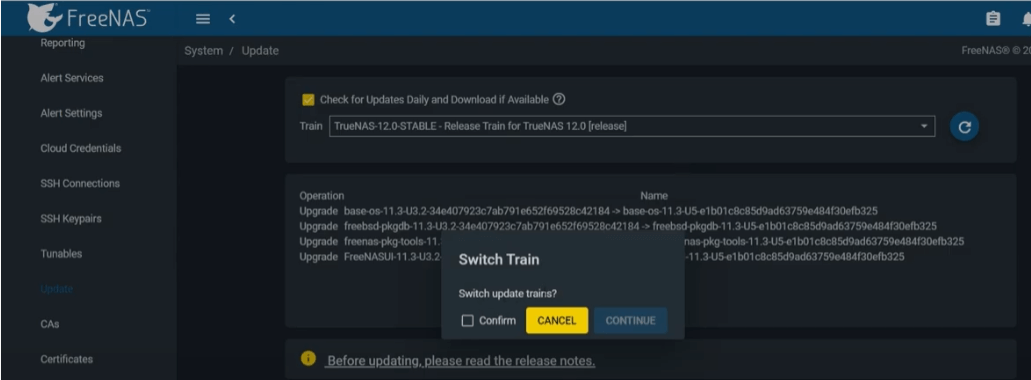
- Checkmark the confirm box on the switch update trains
- Hit continue
Click download updates
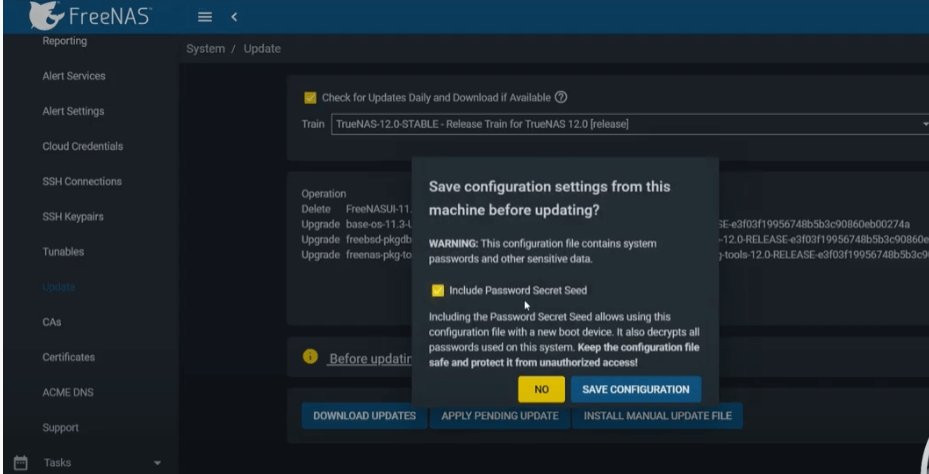
- Checkmark the "Include Password Secret Seed' box (this will make a configuration backup)
- Hit save the configuration
Check the apply updates box
- Hit download
- It will begin downloading and will restart the new TrueNAS
- login back in and it should be successful!
Full Video
SUPPORT MY WORK
This Article has been Republished with Permission from PhasedLogix